Educators
Introduce a lesson with a brief presenter message before moving to diagrams or a screen recording.
Students get a spoken opening, while the actual demonstration can use visuals better suited to the subject.
Talking video explained
D-ID is an AI video tool that animates a face in a still image and pairs it with speech. Give it a suitable portrait and spoken content, and it produces a short video of a presenter appearing to talk. The result is generated video, not footage of that person speaking.
D-ID turns a portrait and speech into a talking-presenter video. These related guides explore the output, where to use it, and how to make one.
D-ID can make a static face appear to speak, but the output depends on the portrait, the speech, and the expectations you bring to it.
A generated clip does not reveal how the pictured person would actually have spoken, moved, or expressed an emotion.
What to do instead
Use footage of the real speaker when their authentic performance matters.
Obscured facial features, extreme angles, and poor lighting can make animation less convincing.
What to do instead
Start with a clear, front-facing image and review a short test before preparing a longer script.
The ability to animate a face does not establish that you have the right to use that person's likeness or voice.
What to do instead
Use your own image, a consenting participant, or imagery you are permitted to animate.
A talking portrait is useful for direct-to-camera messages, not for filming physical actions or showing a changing scene.
What to do instead
Combine the presenter clip with separately captured demonstrations when the subject needs to be shown.
The basic workflow joins a face, spoken content, and animation into one video. Each input affects what the viewer sees or hears.
Supply a clear image of the presenter. The face provides the visual starting point; D-ID is not recording new footage of the person.
Enter words for a generated voice to read or use an audio recording where that option is available. Keep the language natural enough to sound spoken.
D-ID combines the image and speech into an animated clip. Watch for pronunciation, timing, facial movement, and whether the message is clear before sharing it.
This comparison separates what you supply from what the generated talking-photo clip adds. It also shows which decisions remain yours.
| Source portrait and speech | Generated talking video | |
|---|---|---|
| Visual | One still image of a face | A face animated over time |
| Words | A written script or supplied audio | Speech heard during playback |
| Mouth movement | No movement in the source image | Generated movement coordinated with speech |
| Performance | No filmed delivery is captured by the portrait | A synthetic presentation, not a recording of a live performance |
| Message control | You choose the wording and source material | The clip delivers that material; it does not independently verify it |
| Best fit | A clear face and a concise spoken message | A presenter-style explanation or greeting |
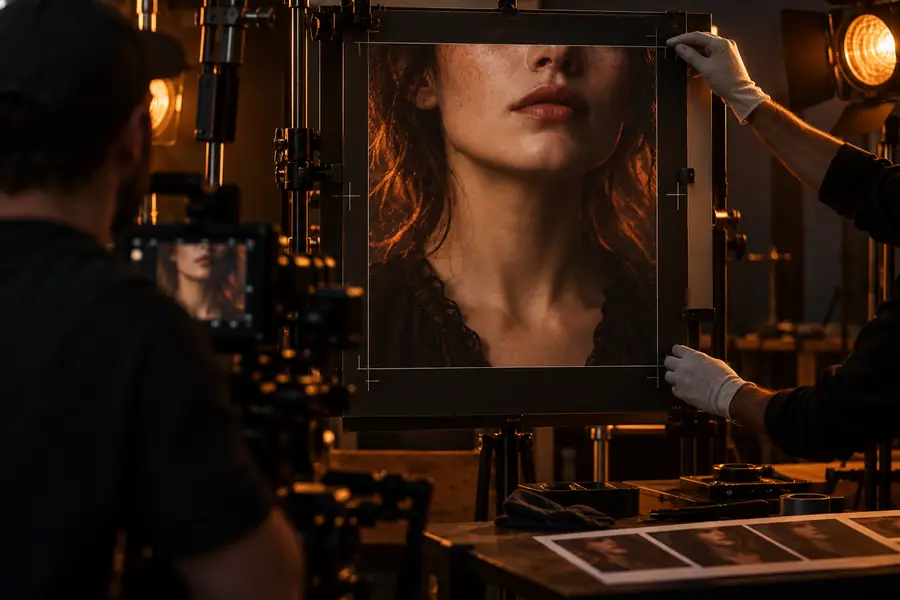
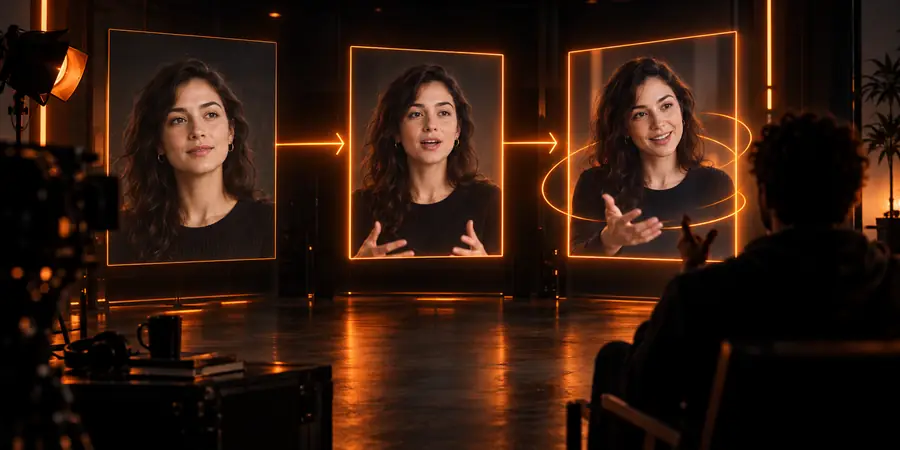
These images illustrate the workflow rather than showing a frame-for-frame transformation of the same source portrait.
Prepare the imageReview the presenter videoD-ID suits messages where a face speaking to the viewer is more useful than a silent slide, provided the presenter image can be used with permission.
Introduce a lesson with a brief presenter message before moving to diagrams or a screen recording.
Students get a spoken opening, while the actual demonstration can use visuals better suited to the subject.
Turn an approved portrait and a short script into a greeting or internal announcement.
The message gains a visible speaker without arranging a camera session; viewers should still know when a presenter is synthetic.
Test a concise explainer before committing to a longer presenter-led video.
A short draft makes it easier to catch awkward wording, pronunciation, or image problems.
Start with a portrait you have permission to use and a short script. Review the generated delivery before deciding whether it communicates your message clearly.
D-ID is an AI video tool used to create talking-presenter clips from a still face image and spoken content. The apparent facial movement is generated; it is not footage of the pictured person delivering those words.
It uses the face in the photo as the visual basis for an animated video. Adding a script or audio gives the presenter something to say, while the image itself remains the source rather than a filmed performance.
No. A camera records a real performance, whereas D-ID generates the appearance of speech from supplied material. That distinction matters when a viewer could mistake a synthetic clip for an authentic recording.
It is best understood as a way to make a presenter-style message from a portrait and speech. For physical demonstrations, changing scenes, or documentary footage, use video made for those purposes instead.